 Classify
Too many photos on your phone to find the ones you want?
Pick one photo.
Find similar photos and turn them into tidy albums.
Classify is a photo organizer that gathers the photos that look like the one you pick, or the photos taken on the same day, into albums. All analysis happens on your phone, and your photos are never sent anywhere.
- Free to start, no ads
- Photos stay on your phone
- One-time Pro upgrade

Android 7.0 or later
What you can do with Classify
Everything starts with one photo you choose. There are two ways to search: similar photos, and photos from the same day.
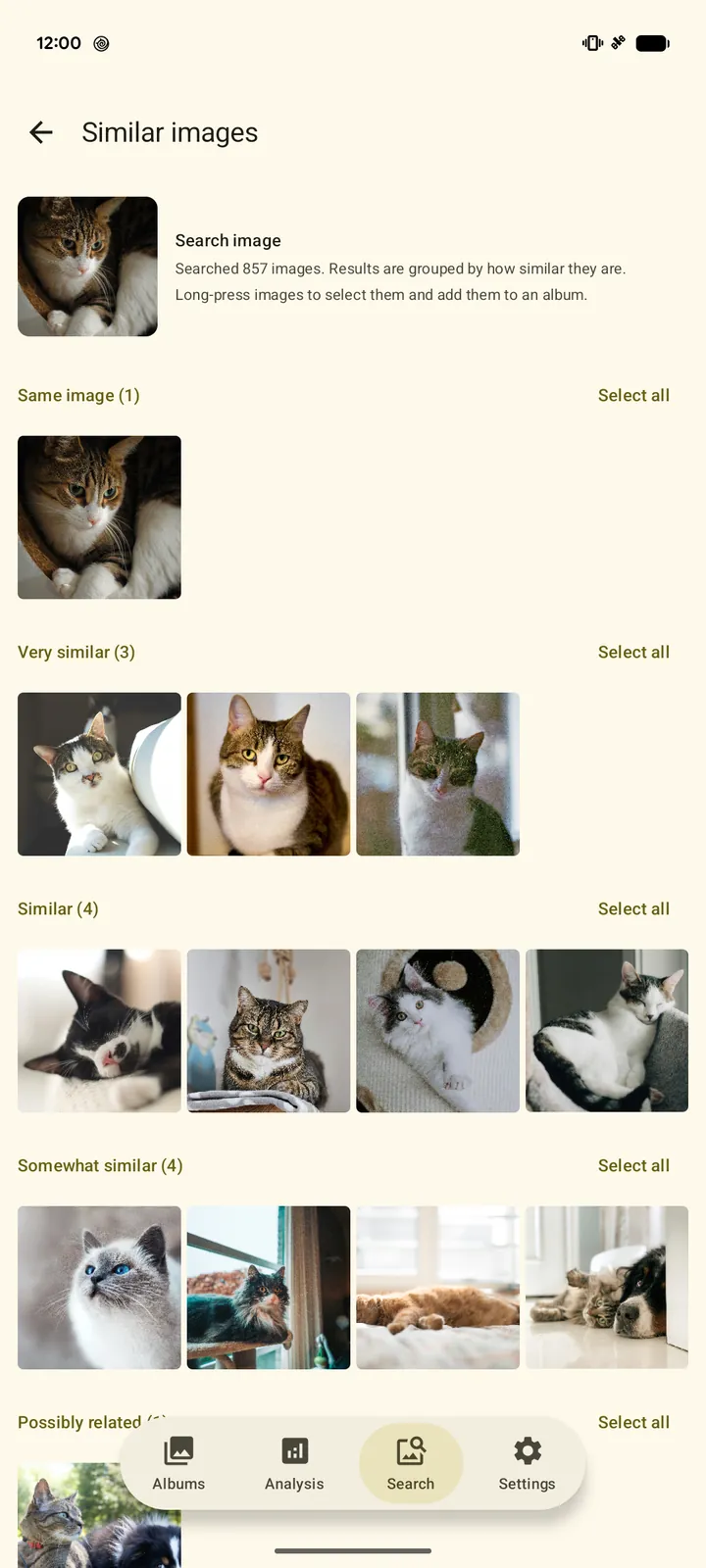
Pick one photo, find the similar photos
Pets, food, burst shots... Classify shows the photos that look like the one you choose, grouped by how similar they are (same image, very similar, similar, and so on). Long-press to select photos, or drag across them to select many at once, and add them to an album right away.
To find similar photos, Classify first analyzes your photos once on your phone (about 10 minutes for 3,000 photos, depending on your device).
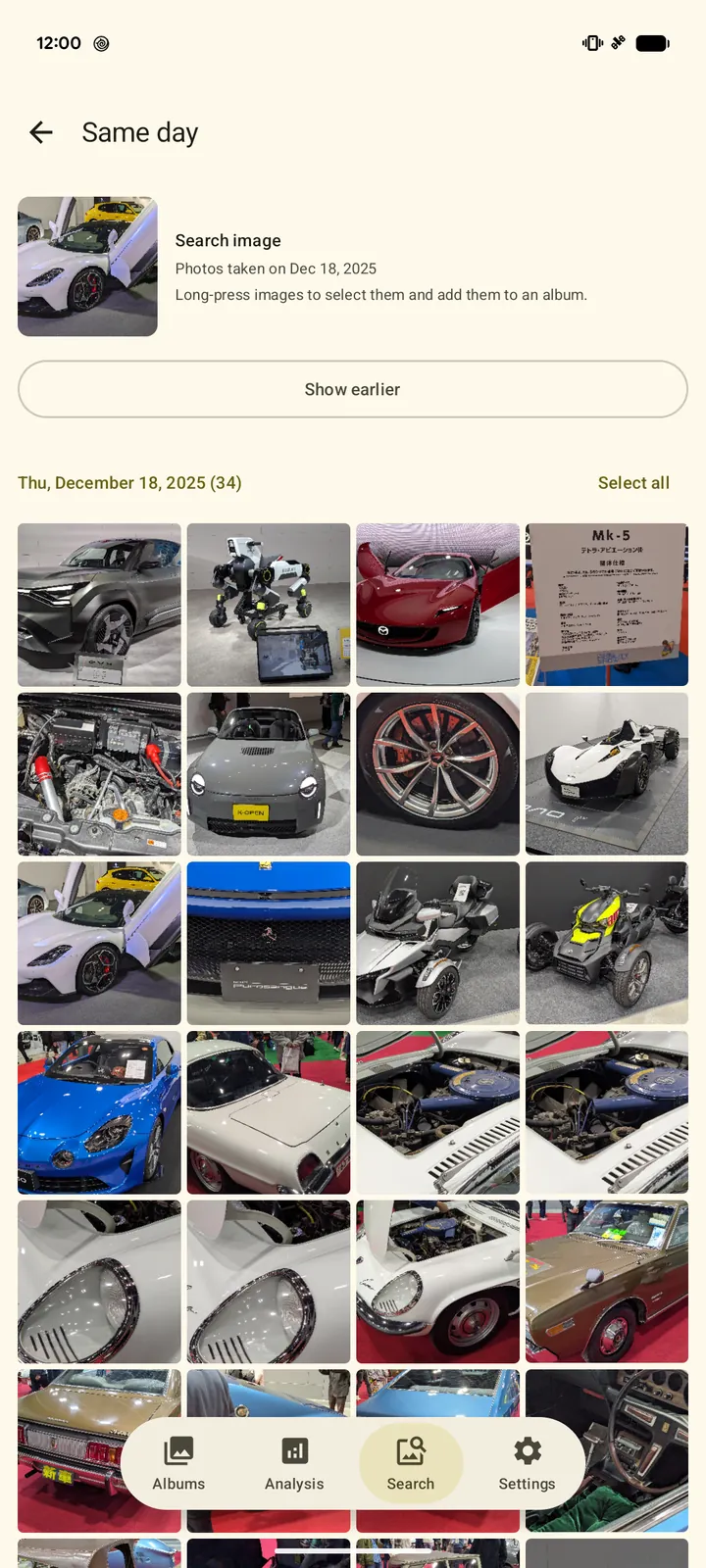
Relive a trip or an event, day by day
Choose a photo to see all the photos taken on that day, in time order. Tap "Show earlier" or "Show later" to add the days before or after, which makes it easy to gather the photos from a trip.
Searching by day works right away, even before analysis.
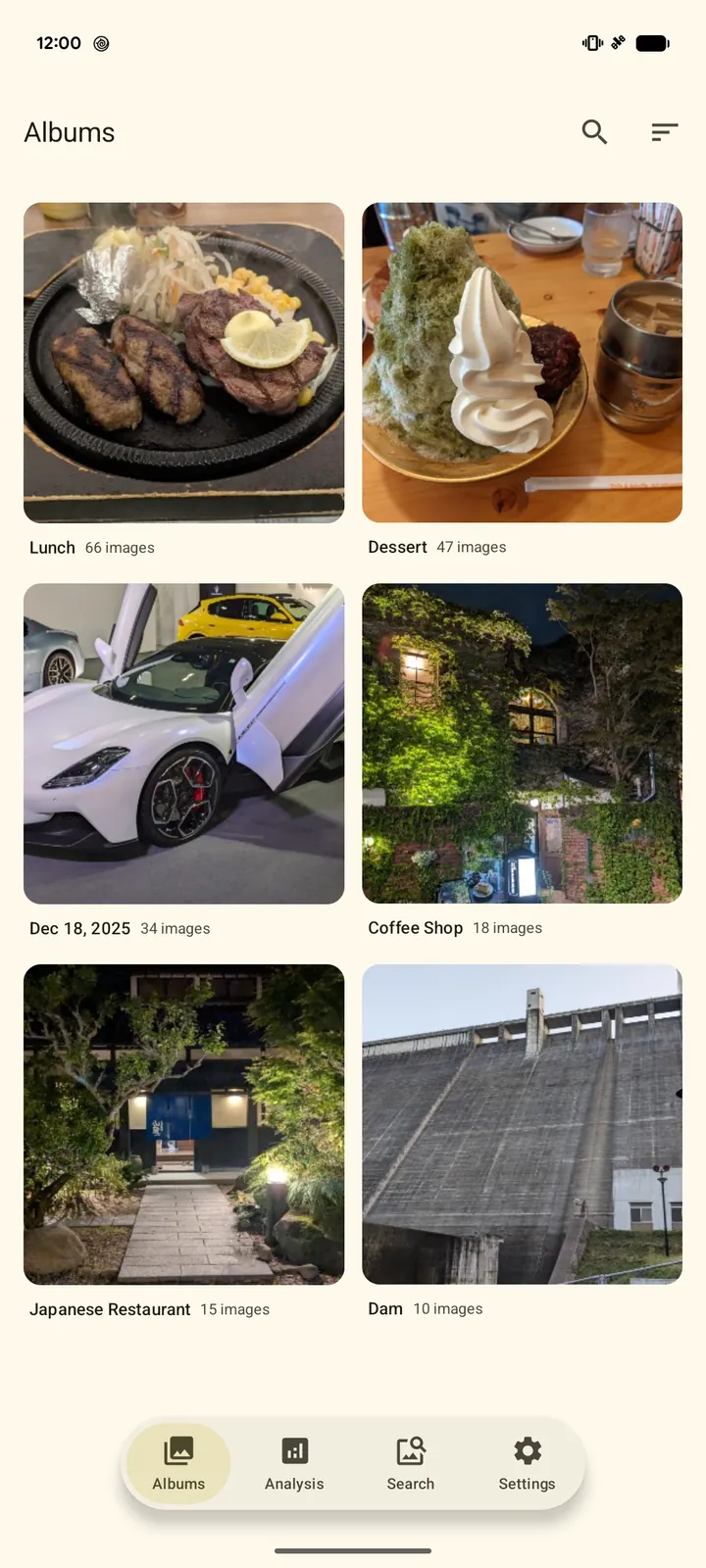
Gather them into albums, clean up the rest
Albums live inside the app and only keep track of which photos belong to them, so your photos stay where they are. Sort the photos in an album by similarity, by when they were added, or by the date they were taken.
- Move unwanted photos to the trashSelect photos in the search results and move them to your device's trash (Android 11 or later). Android asks you to confirm first, and you can restore them for a while (usually 30 days).
- See which albums a photo is inWhile viewing a photo, check which albums it is in, and remove it from the ones you don't need.
Your photos stay on your phone
Photo analysis and search happen entirely on your phone. There is no need to upload your precious photos to anyone's server.
- Photos and analysis stay privateYour photos, their thumbnails, the analysis results, when and where they were taken, and your album names are never sent anywhere.
- Never connects to the internetThe app never connects to the internet (it does not even have Android's internet permission). Analysis, search and albums all happen on your phone.
- No usage trackingNothing is sent from the app, including usage statistics and crash reports.
- No adsThe app shows no ads.
A photo leaves the app only when you share it yourself from the photo viewer to an app you choose. For details, see the Privacy Policy.
Three simple steps
After a one-time analysis of your photos, just pick, gather and organize.
- PickChoose "Find similar images" or "Find images from the same day", then pick one photo to start from.
- GatherCandidates appear, grouped by how similar they are or by the day they were taken.
- OrganizeSelect the photos you want and add them to a new album or one you already made.
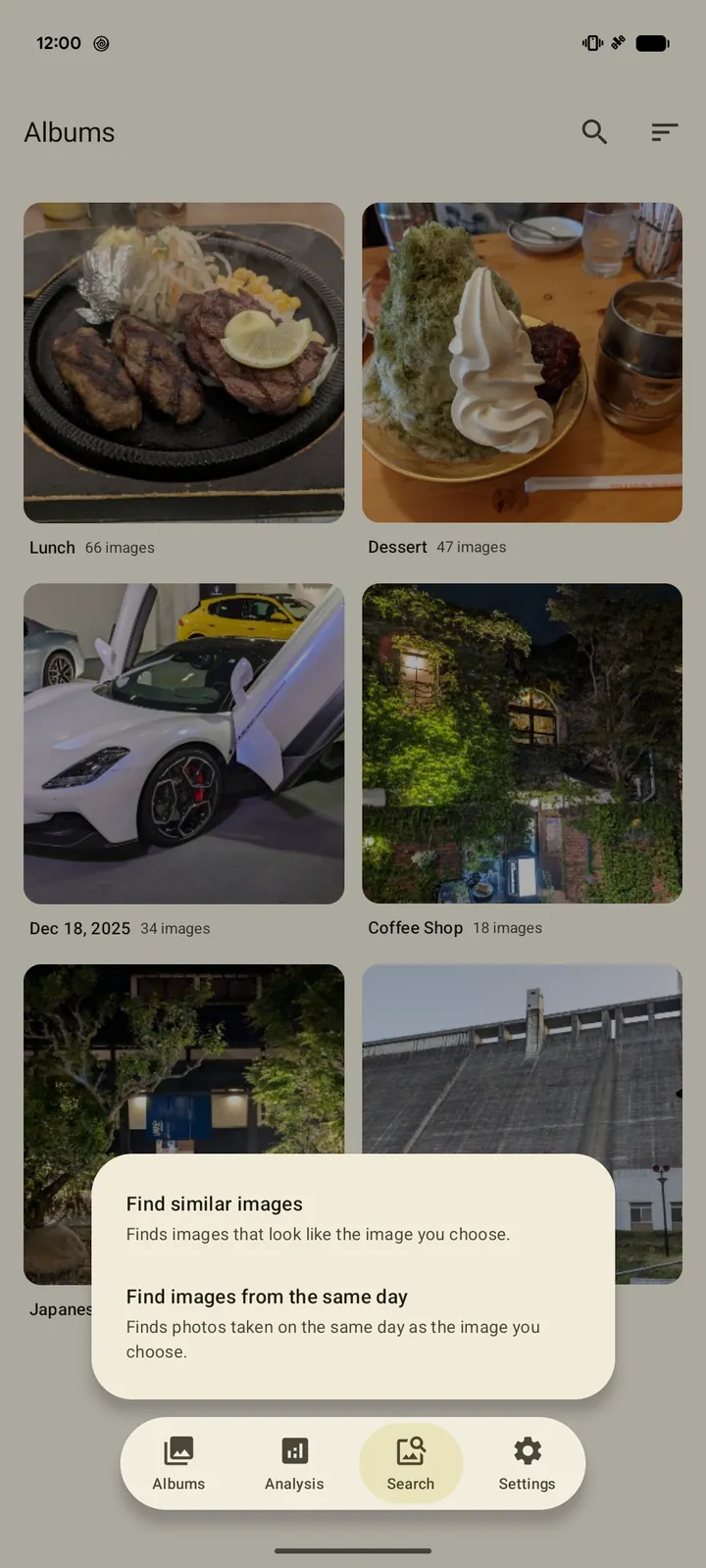
You can find similar photos once the first analysis (done once, on your phone) has processed about 500 photos. The analysis keeps running even if you close the app, and you can follow its progress in a notification.
No ads. No subscription.
There are no monthly payments and no ads. Start using it for free.
| Feature | Free | Pro (one-time purchase) |
|---|---|---|
| Price | Free | Pay once (price shown on Google Play) |
| Ads | None | None |
| Find similar photos and photos from the same day | ◯ | ◯ |
| Analysis only on your phone | ◯ | ◯ |
| Move unwanted photos to the trash (Android 11 or later) | ◯ | ◯ |
| Number of albums | Up to 5 | Unlimited |
| Analyze new photos automatically and add them to similar albums (with marks and notifications) | — | ◯ |
| Paid features added in the future | — | ◯ (included in principle) |
In Japan, Pro costs 500 yen (tax included). In other countries, the price shown on Google Play applies. Automatic adding works for albums made from similar photos, and you can choose how similar a photo must be for each album. It starts after the first analysis is complete, and does not run when the battery is low or when you allow access to selected photos only.
FAQ
Are my photos really never sent anywhere?
Yes. Your photos, their thumbnails and the analysis results are never sent to any server or third party. Everything is processed on your phone (when you share a photo yourself, it goes to the app you choose). All the details are in our Privacy Policy.
If I remove a photo from an album, is it deleted from my phone?
No. Albums only keep track of which photos belong to them, so removing a photo from an album, or deleting an album, leaves the photo itself untouched.
Can I delete photos I don't need?
Yes. Select photos in the search results and choose "Move to trash" to move them to your device's trash (Android 11 or later). Android shows a confirmation screen, and the photos are moved only if you allow it. They are not deleted right away: you can restore them from the trash for a while (usually 30 days).
How long does it take before I can start?
To find similar photos, Classify first analyzes your photos once on your phone. This takes a few minutes or more depending on the number of photos (about 10 minutes for 3,000 photos and about 30 minutes for 10,000, depending on your device). You can start searching once about 500 photos have been analyzed. Finding photos from the same day works right away, without analysis.
Does it work offline? Does it use the network?
Yes, it works offline. The app never connects to the internet (it does not even have Android's internet permission). Analysis, search and albums all happen on your phone. Buying Pro and checking whether you have bought it are handled by the Google Play app on your phone.
Which phones are supported?
Android 7.0 or later. Moving photos to the trash requires Android 11 or later.
What happens to Pro if I change phones?
If you use the same Google account, Pro is available on your new phone at no extra cost. For privacy, albums are not included in device backups, so you will need to analyze your photos again on the new phone.